NSTrackingSeparatorToolbarItem causes white bar over top of content in macOS 27 developer beta 5
August 11, 2026
macOS 27 developer beta 5 (26A5406e) introduces a bug that causes a white bar to appear over window content if the window’s toolbar has an NSTrackingSeparatorToolbarItem. I filed FB24266969 with Apple describing this.
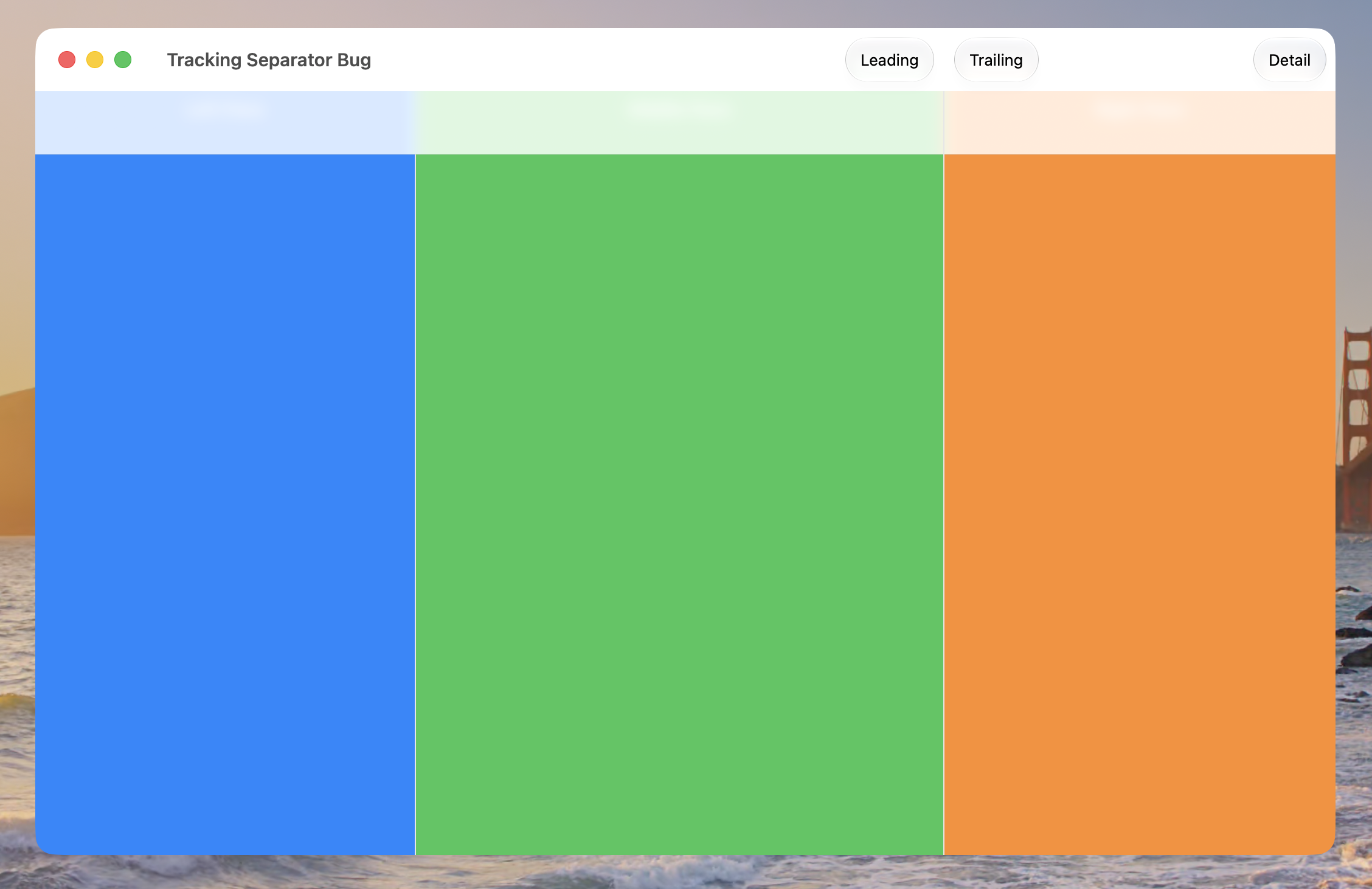
I have a sample project demonstrating this. This is a screenshot of the result:
To reproduce the issue:
- Open the attached sample project.
- Observe that the app presents a simple window with a 3-pane split view and a toolbar, and that there is a NSTrackingSeparatorToolbarItem tracking the separator between the second split view pane and the third split view pane.
- Run the app on a Mac running macOS 27 developer beta 5.
Expected results: The window should appear with a toolbar and the three panes.
Actual results: The window appears, but there is a white bar covering the top of the content. That white bar is roughly the height of the toolbar, but it is below the toolbar.
Interestingly, I described a somewhat similar issue almost a month ago with developer beta 3. That prior issue only became visible after invoking full screen mode. It was fixed in developer beta 4. This new issue happens right away when the window appears.