Vertically Off-Center Components in NSSearchToolbarItem in macOS 27 Developer Beta 5
August 12, 2026
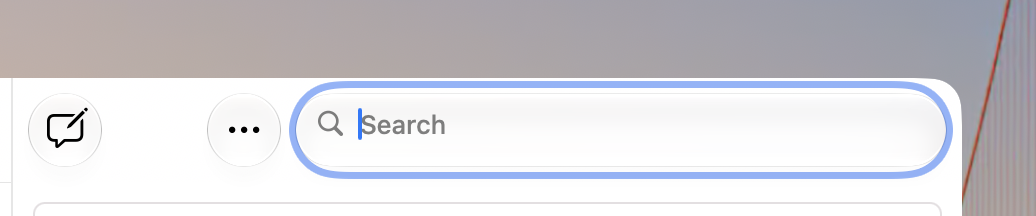
In macOS 27 developer beta 5, search fields in toolbars (NSSearchToolbarItem instances) have their placeholder text, search strings, and magnifying glass icons vertically off-center. I reported this as FB24286690.
You can see this in the Feedback Assistant app. The “Search” placeholder text, the magnifying glass, and the search string are all closer to the top of the toolbar item than the bottom.
I have a sample project demonstrating this.
To reproduce this:- Open the sample project.
- Observe that the sample project is a simple AppKit app that creates a window with a toolbar. The toolbar has an NSSearchToolbarItem.
- Run the app.
Expected results: The app presents a window with a toolbar. The toolbar has a search field. Alignment of all elements looks good.
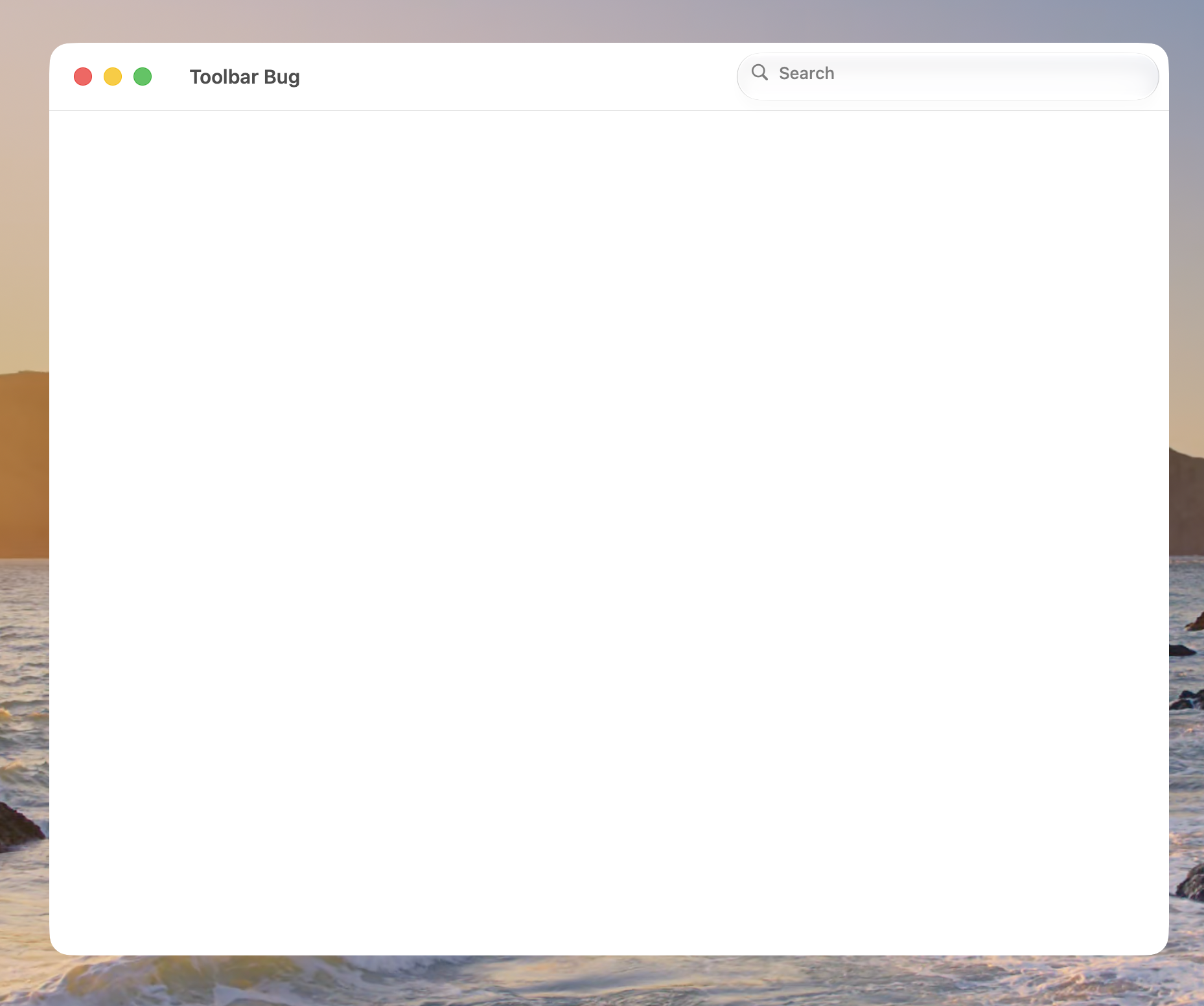
Actual results: The magnifying glass, “Search” placeholder text, and any entered search string are much closer to the top of the text field than the bottom.
It looks like the placeholder text is 11 points from the top border of the toolbar item, and 16 points from the bottom border.
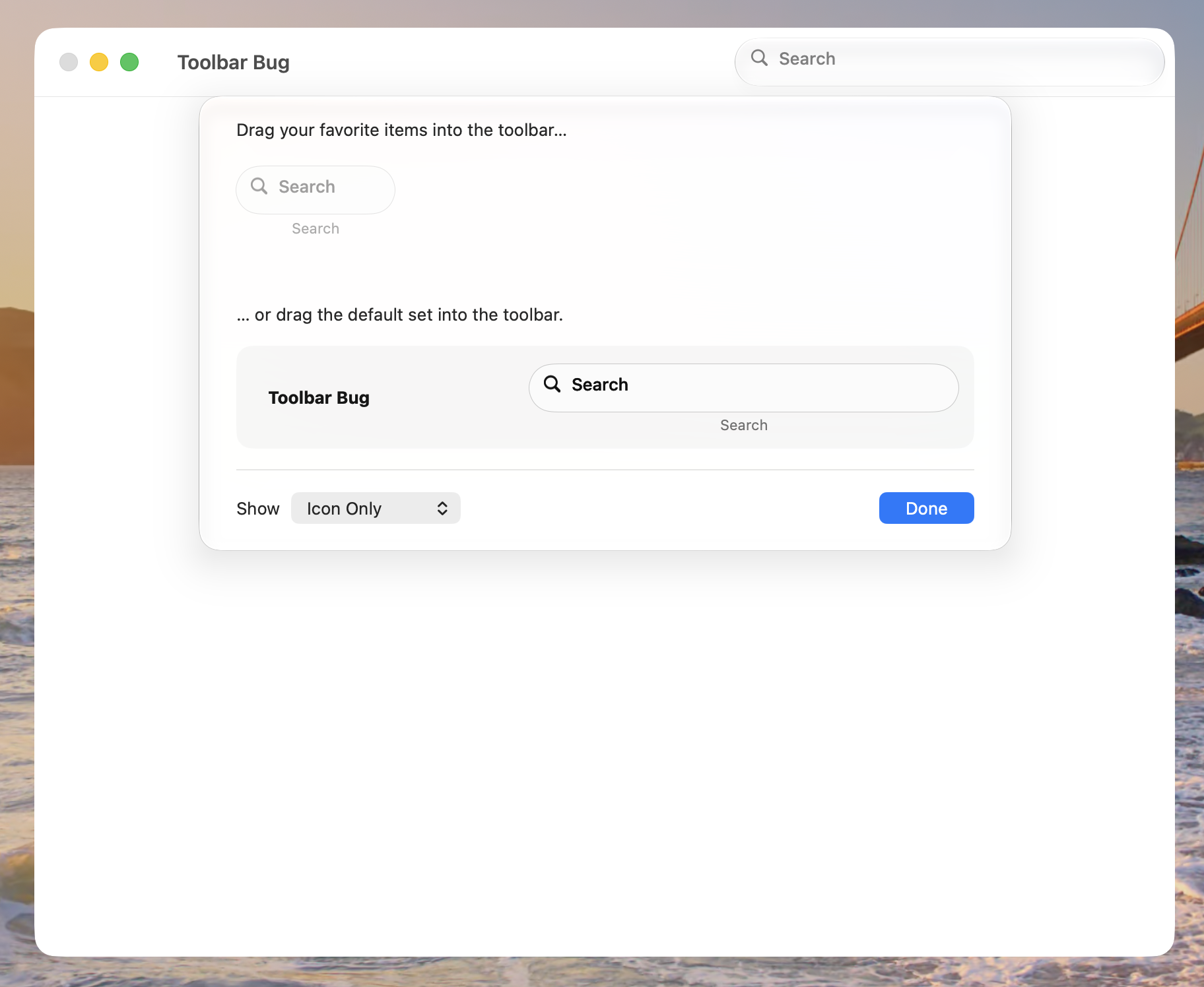
You can also see the effect in the toolbar customization palette. Choose “Customize Toolbar…” from the View menu. The search toolbar item elements are also closer to the top of the toolbar item than the bottom in that palette.
This is a screenshot of my sample app:
This is a screenshot of the toolbar customization palette in the sample app:
This is a screenshot of the top of the main window of the Feedback Assistant app: